Tasks Management
Efficiently manage your daily operations and enhance productivity by leveraging our Tasks management feature. The Tasks module enables you to create, delegate, track, and complete tasks directly within your workflow.
Overview
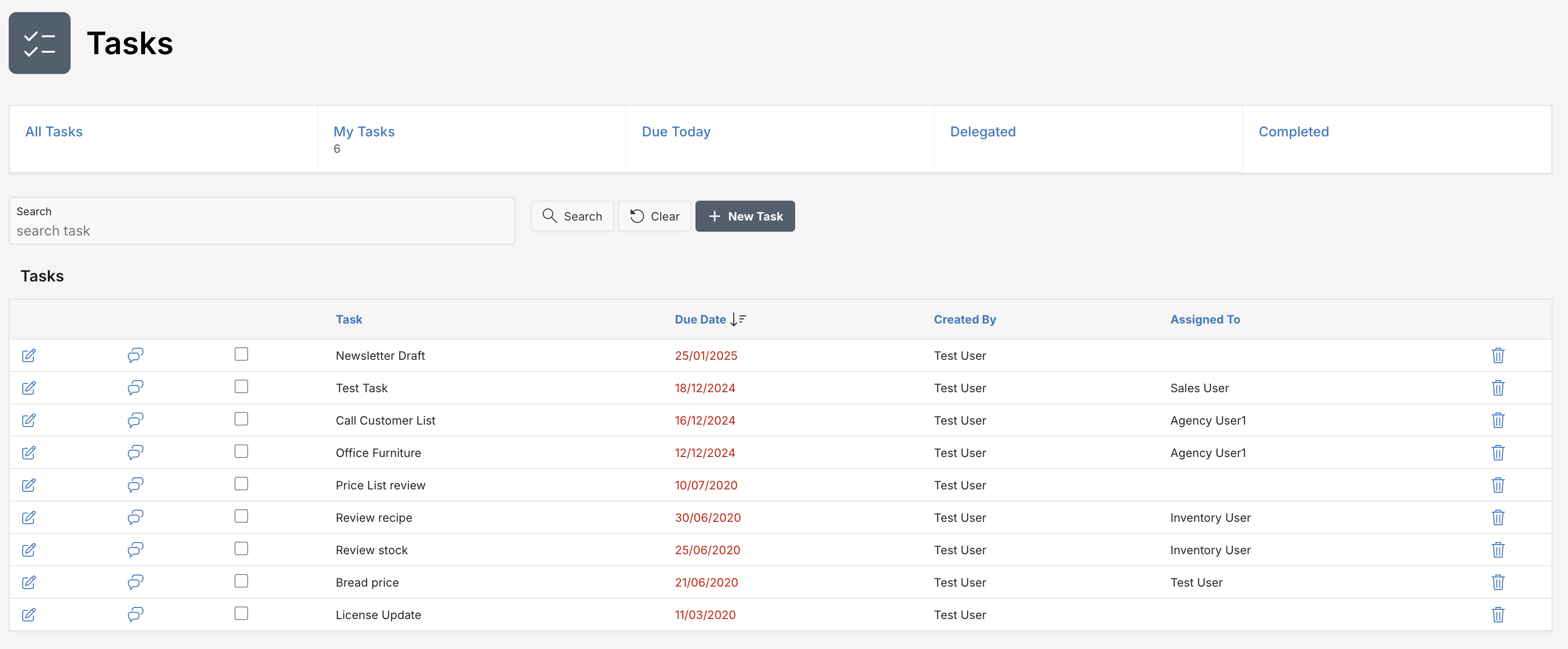
The Tasks interface provides you with a centralized view of all your tasks, categorized by their status and assignment. This ensures clarity and ease of use in task management.
Creating a New Task
Follow these steps to create a new task quickly:
- Navigate to the Tasks page.
- Click the + New Task button located at the top-right corner.
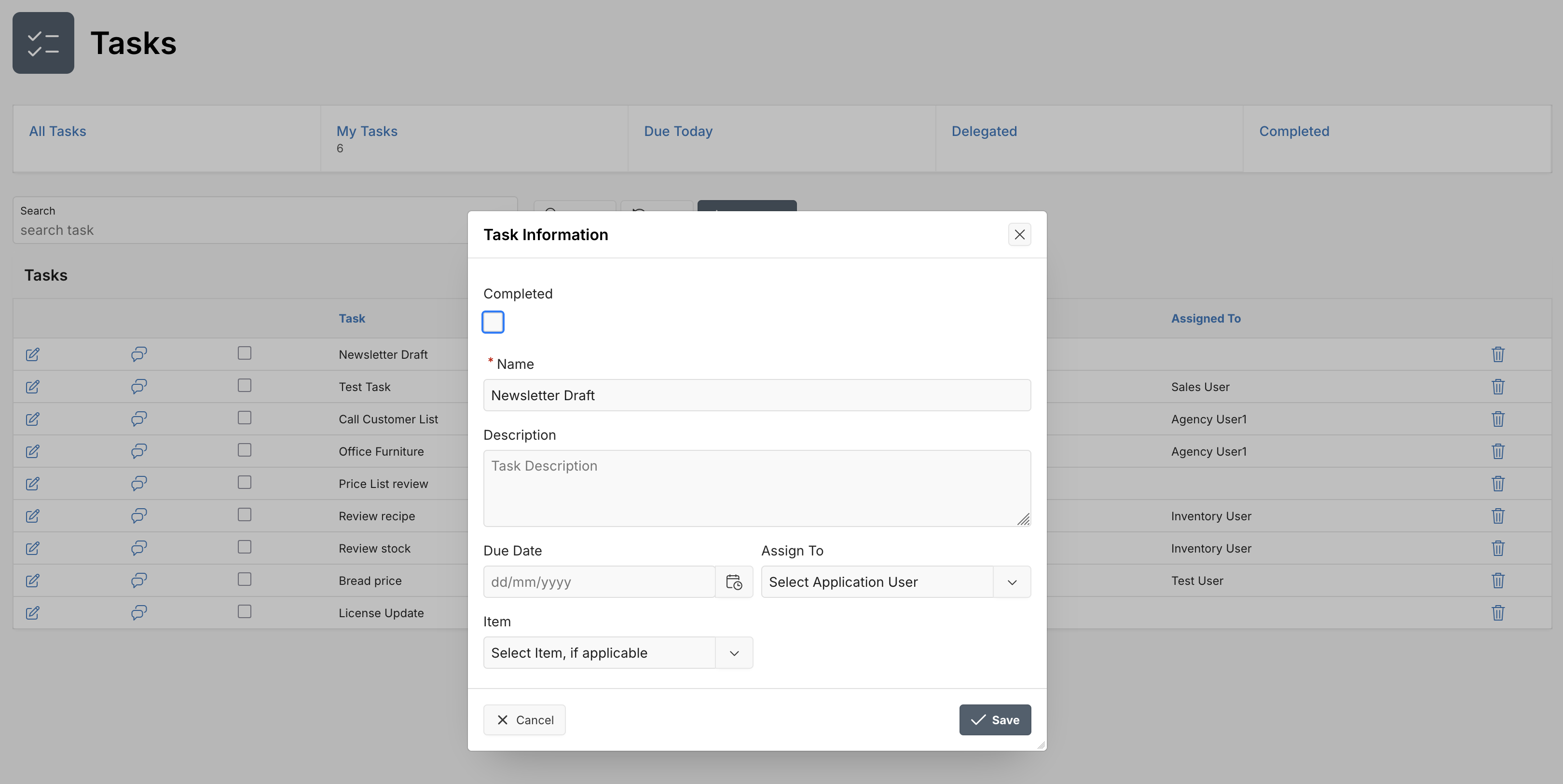
- Fill in the task details:
- Name (required): Enter a descriptive task name.
- Description (optional): Add more context about the task.
- Due Date: Specify the due date for task completion.
- Assign To: Select the user responsible for completing the task.
- Item (optional): Select a related item from the list if applicable.
- Click Save to create the task.
Task Actions
Each task provides quick actions for convenient management:
| Action | Description |
|---|---|
| Edit | Modify task details. |
| Comments | View or add task comments. |
| Delete | Permanently remove the task. |
Task Status & Categories
Tasks are organized into various categories for easy management:
- All Tasks: Displays every task created within your workspace.
- My Tasks: Tasks specifically assigned to you.
- Due Today: Tasks that are due by the end of the day.
- Delegated: Tasks assigned to other team members.
- Completed: Tasks marked as completed.
Searching Tasks
Quickly search through tasks using the built-in search functionality:
- Enter keywords into the search task field at the top of the Tasks page.
- Click Search or press Enter to display matching tasks.
- Click Clear to remove search criteria and view all tasks again.
Best Practices
- Regularly review your My Tasks and Due Today lists to ensure timely completion.
- Clearly describe tasks and specify due dates to minimize confusion and increase accountability.
- Use comments to provide feedback and keep all task-related discussions centralized.
Now you’re ready to effectively manage tasks and improve your productivity with the Tasks feature!
Happy tasking! 🎯
Last updated on