Contact Information
This section describes the Contact Information. It provides detailed data management options for contacts, including addresses, contracts, documents, payments, roles, price lists, sites, work orders, and transactions.
Overview
The Contact Information screen consolidates all relevant details about a contact. Quickly view and manage contact data from a single interface.
Available Sections
Transactions
View contact transactions chart or as a list.
Views
- Activity: Chart representing transactions.
- List: Detailed listing of transactional activities.
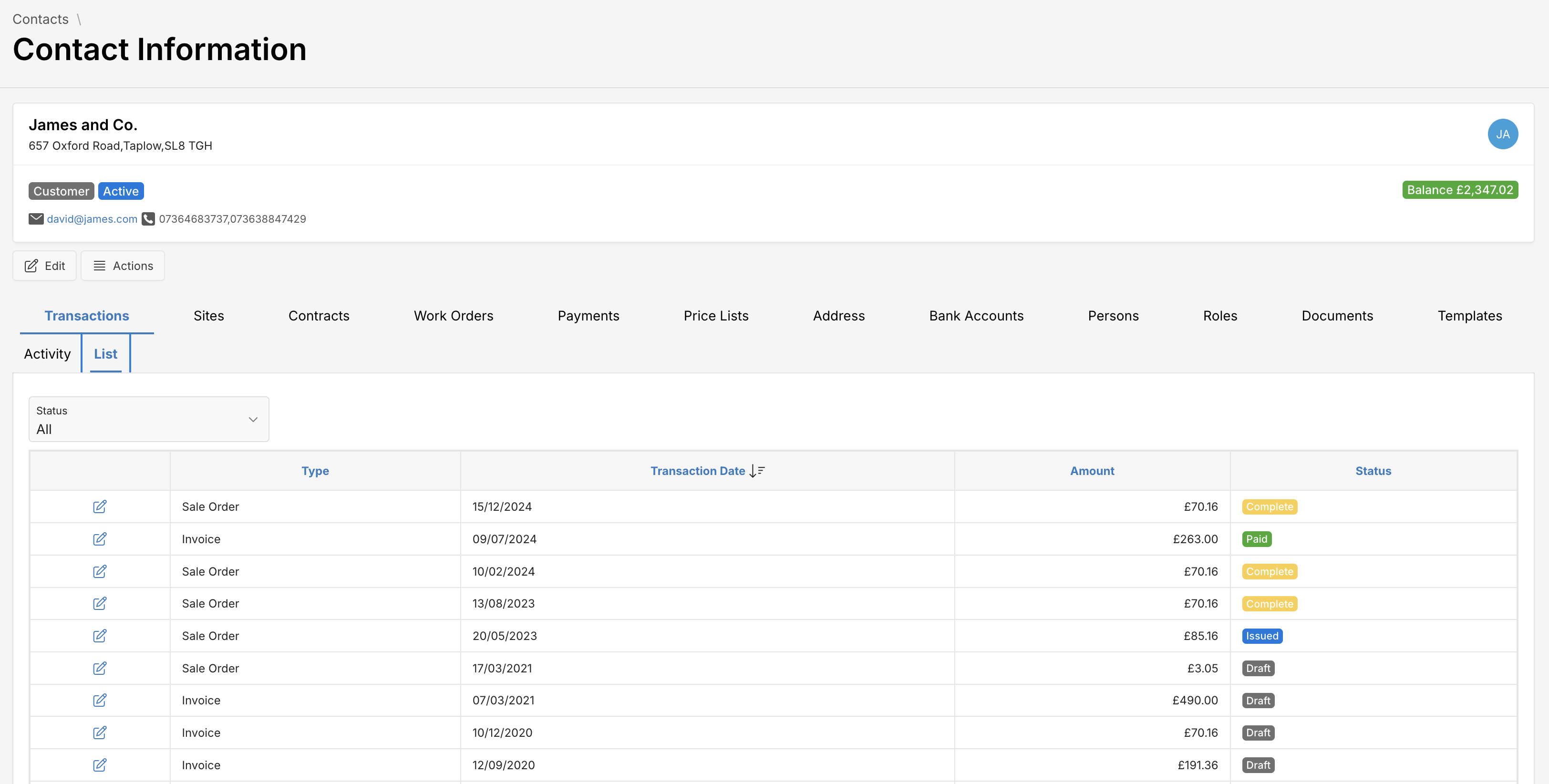
Transaction Information
| Attribute | Description |
|---|---|
| Type | Transaction type (Invoice, Sale Order, etc.) |
| Transaction Date | Date of transaction |
| Amount | Financial value of transaction |
| Status | Transaction status (Paid, Draft, Issued, Complete) |
Sites
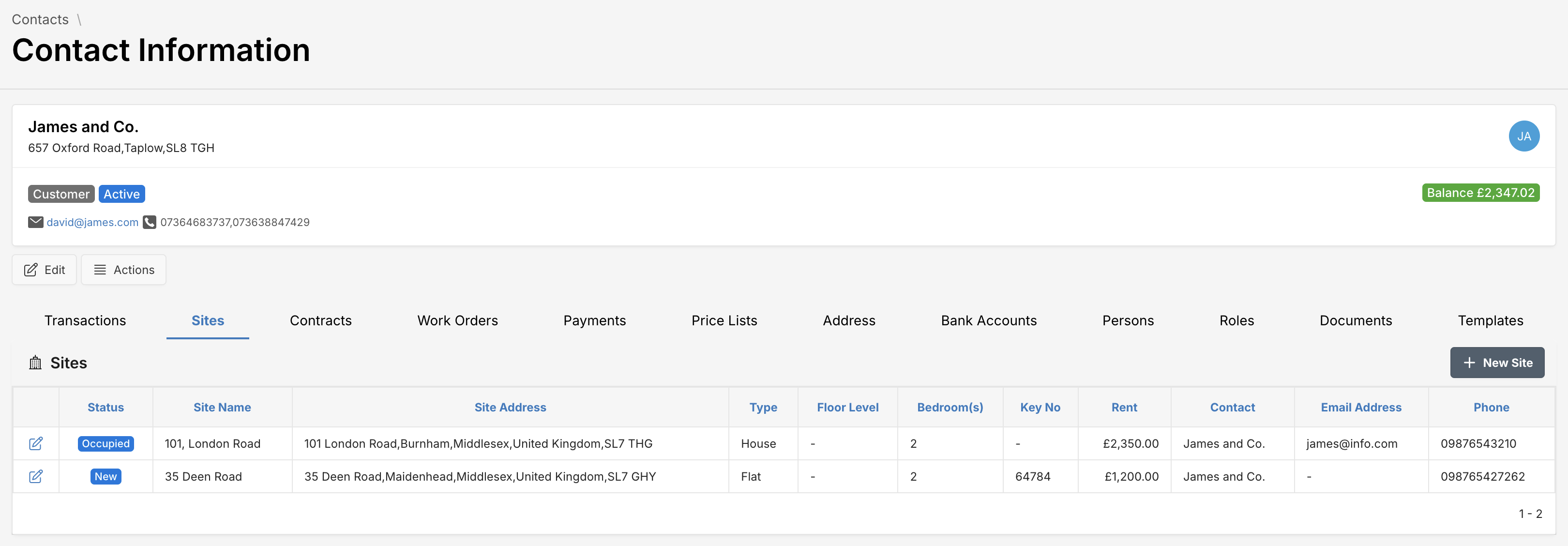
Manage site-specific data associated with contacts.
Site Information
| Attribute | Description |
|---|---|
| Status | Site status |
| Site Name, Site Address | Name and location of site |
| Type | Type of property (e.g., House, Flat) |
| Floor Level, Bedrooms, Key No | Specific site details |
| Rent | Rental amount |
| Contact, Email, Phone | Contact information for site |
Actions
- Edit icon : View or modify the site information.
- New Site: Add new site for this contact.
Contracts
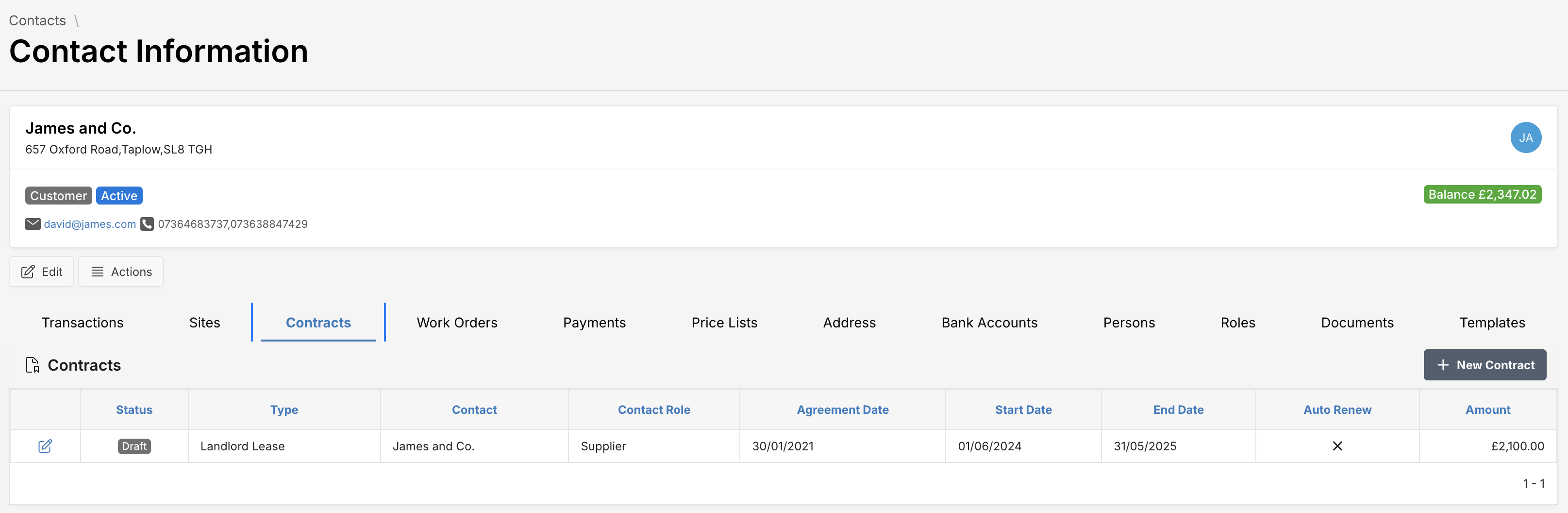
Manage contractual details linked to contacts.
Contract Information
| Attribute | Description |
|---|---|
| Status | Contract status (Draft, Active, etc.) |
| Type | Type of contract (Landlord Lease, etc.) |
| Agreement Date | Agreement creation date |
| Start Date, End Date | Contract period dates |
| Auto Renew | Indicates automatic renewal |
| Amount | Contractual financial amount |
Actions
- Edit icon : View or modify the contract information.
- New Contract: Initiate a new contractual agreement.
Work Orders
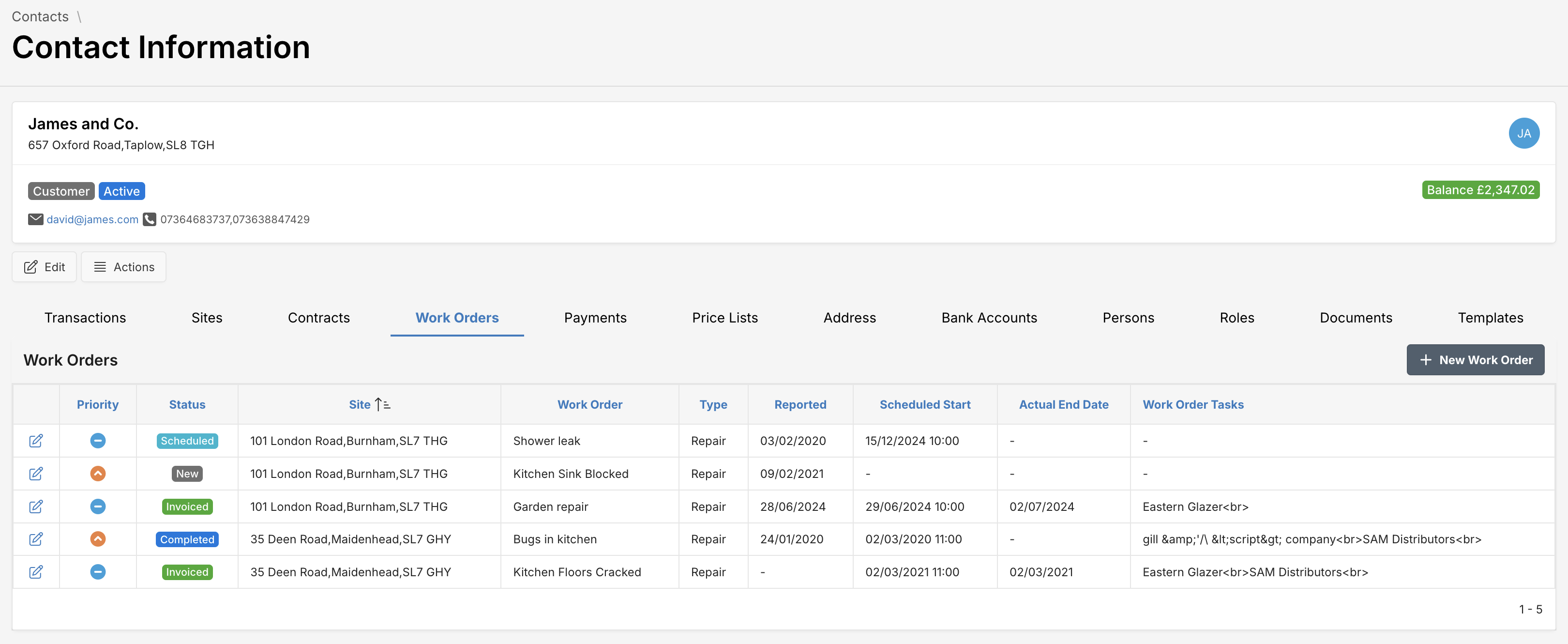
Track and manage tasks associated with sites.
Work Order Information
| Attribute | Description |
|---|---|
| Priority, Status | Priority and status of work order |
| Site | Relevant site for work |
| Work Order, Type | Work order details and category |
| Reported, Scheduled Start, Actual End Date | Dates for work order management |
| Work Order Tasks | Specific tasks within work order |
Actions
- Edit icon : View or modify the work order information.
- New Work Order: Generate new work orders.
Payments
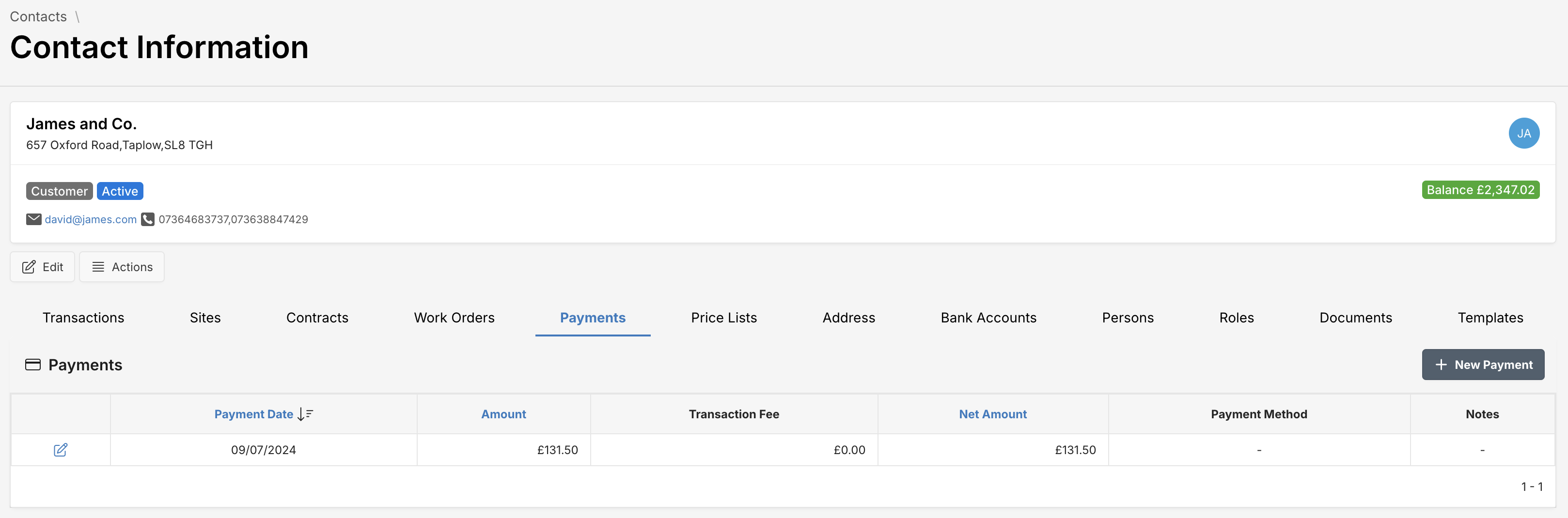
View financial transactions related to the contact.
Payment Information
| Attribute | Description |
|---|---|
| Payment Date | Date of payment |
| Amount | Paid amount |
| Transaction Fee | Fee related to transaction |
| Net Amount | Amount after fees |
| Payment Method | Method used for payment |
| Notes | Additional notes |
Actions
- Edit icon : View or modify the payment information.
- New Payment: Record a new payment transaction.
Price Lists
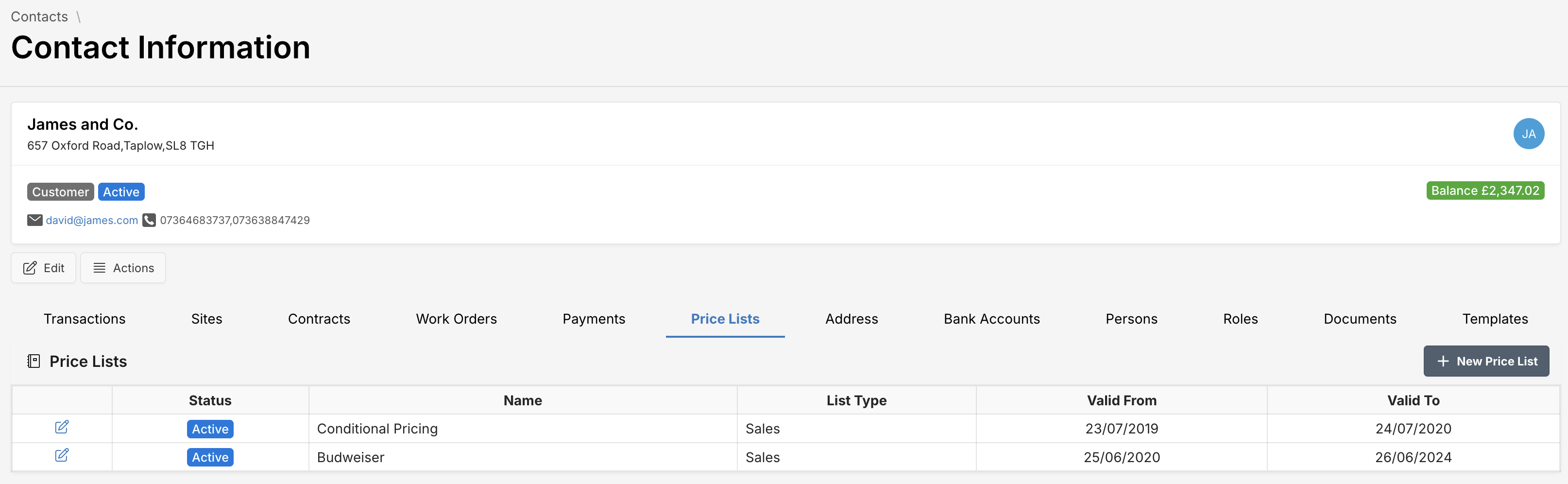
Manage custom pricing lists for contacts.
Price List Information
| Attribute | Description |
|---|---|
| Status | Active or Inactive |
| Name | Name of pricing arrangement |
| List Type | Type of pricing list i.e. Purchases or Sales |
| Valid From, Valid To | Date range for list validity |
Actions
- Edit icon : View or modify the price list information.
- New Price List: Add new price lists.
Address
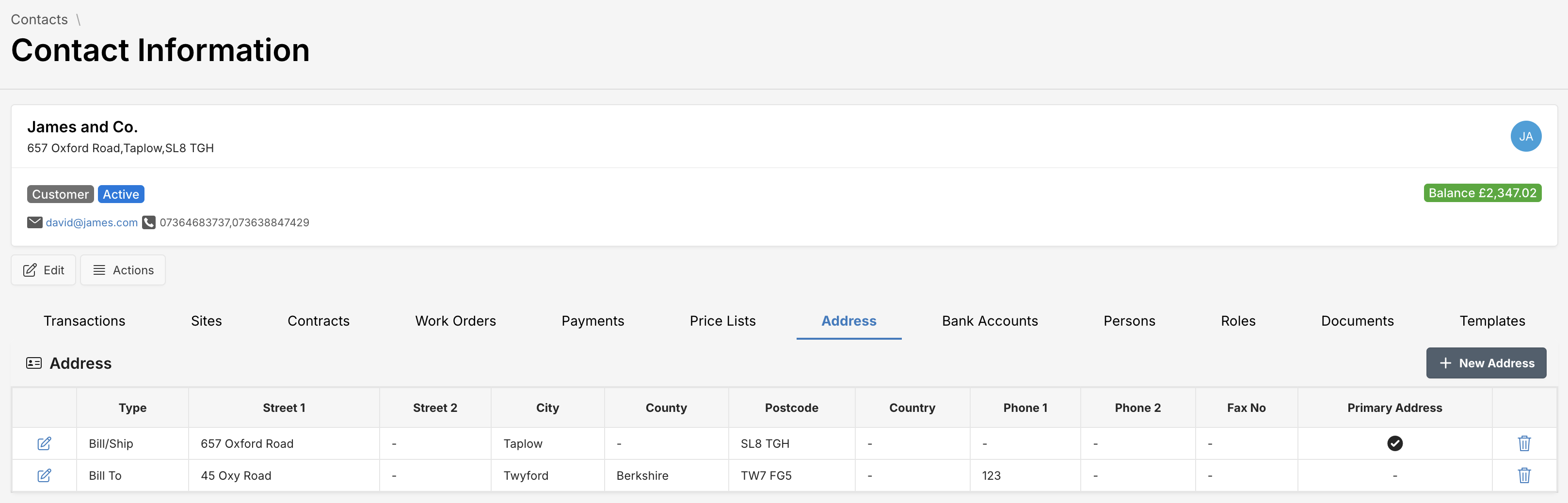
Manage the addresses associated with a contact.
Address Information
| Attribute | Description |
|---|---|
| Type | Purpose of the address (e.g., Bill/Ship, Bill To or Ship To) |
| Street 1, Street 2 | Detailed street information |
| City, County, Country | Geographical details |
| Postcode | Postal/Zip code |
| Phone, Fax No | Contact numbers |
| Primary Address | Indicator of primary usage |
Actions
- Edit icon : View or modify the address information.
- New Address: Add additional addresses.
Bank Accounts
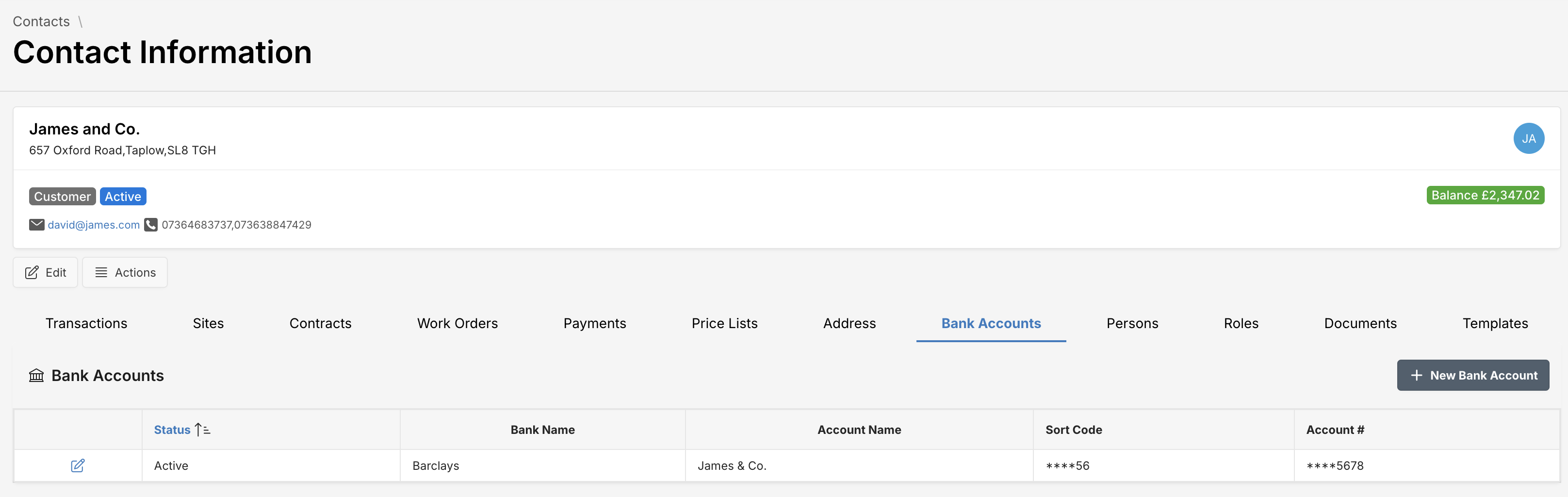
Manage the bank accounts associated with a contact.
Account Information
| Attribute | Description |
|---|---|
| Status | Account status - Active or Inactive |
| Bank Name | Name of the bank |
| Account Name | Name of the account specified at the bank |
| Sort Code | Account sort code |
| Account# | Account number |
Actions
- Edit icon : View or modify the bank account information.
- New Bank Account: Add additional bank accounts.
Persons
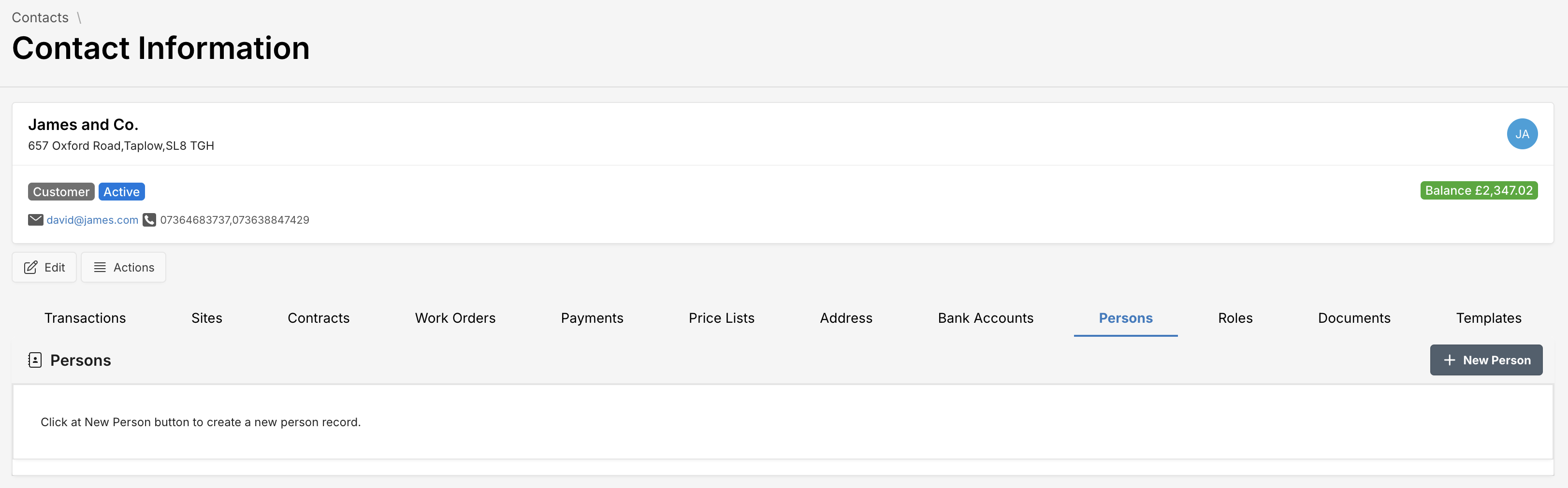
Manage individual people linked to a contact.
Actions
- Edit icon : View or modify the person information.
- New Person: Create new individual person records.
Roles
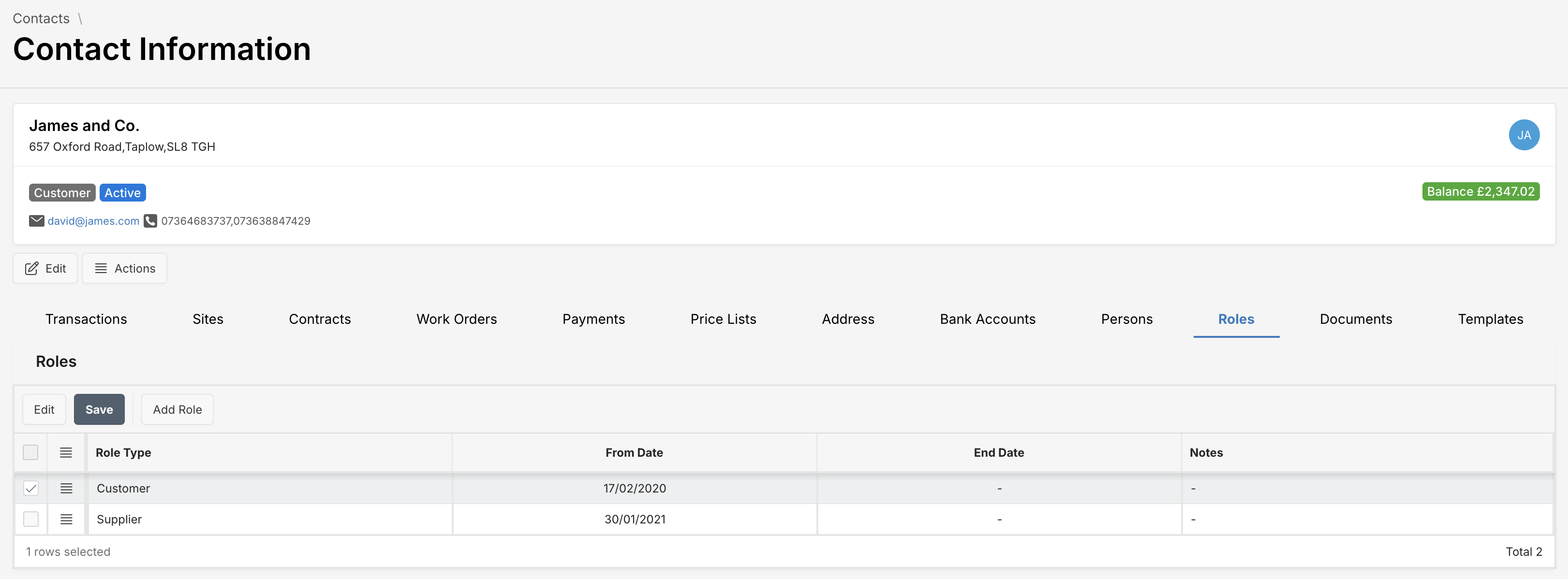
Assign roles defining relationships and interactions.
Role Information
| Attribute | Description |
|---|---|
| Role Type | Type of role (e.g., Customer, Supplier) |
| From Date, End Date | Duration of the role |
| Notes | Additional notes or description |
Actions
- Edit, Add Role: Manage roles for contacts.
Documents
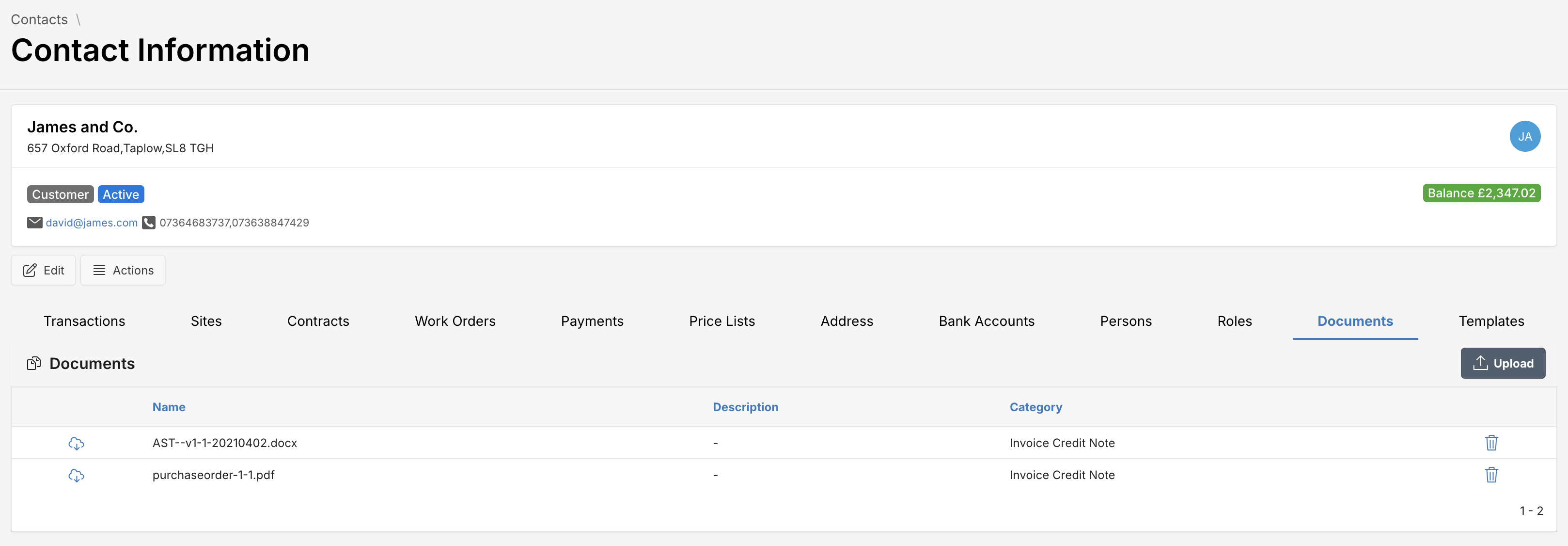
Attach and categorize important documents.
Document Information
| Attribute | Description |
|---|---|
| Name | Document file name |
| Description | Additional information about the document |
| Category | Category of document (e.g., Invoice Credit Note) |
Actions
- Upload: Upload new documents.
- Download icon : Download the document.
- Delete icon : Delete the document.
Additional Options
Edit Contact
Update contact information seamlessly:
- Click the edit button .
- Modify the details in the displayed form.
- Click Save to apply changes.
Actions
- Actions Button: Provides context-specific operations (e.g., deactivate contact).