Chart of Accounts
The Chart of Accounts (CoA) is the foundation of your accounting system. It organizes all your business’s financial transactions into categorized accounts—such as Assets, Liabilities, Equity, Revenue, and Expenses.
nestclo includes a default Chart of Accounts pre-configured for your convenience.
This section of the platform allows you to:
- View all existing accounts
- Create new accounts
- Import accounts from CSV
- Filter by account type and group
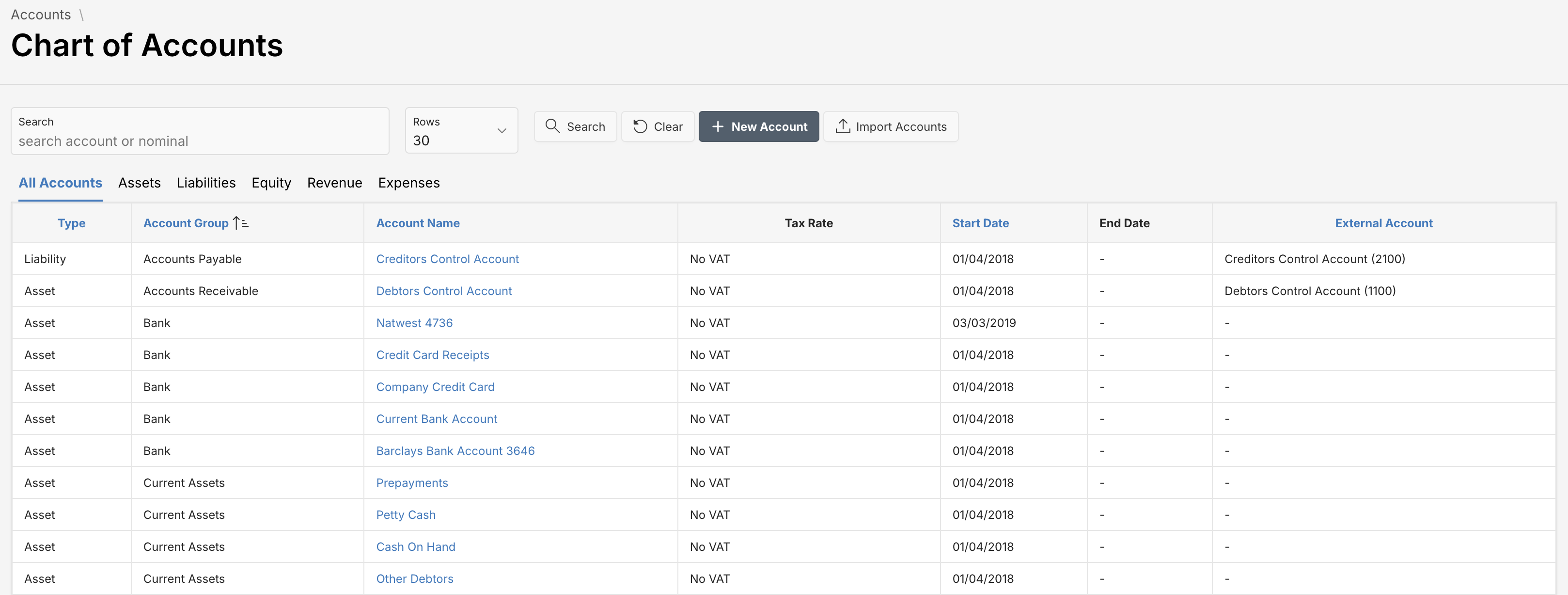
Filtering by Category
Tabs at the top help you filter accounts by category:
- All Accounts
- Assets
- Liabilities
- Equity
- Revenue
- Expenses
For example, filtering by Expenses will display only outgoing cost-related accounts.
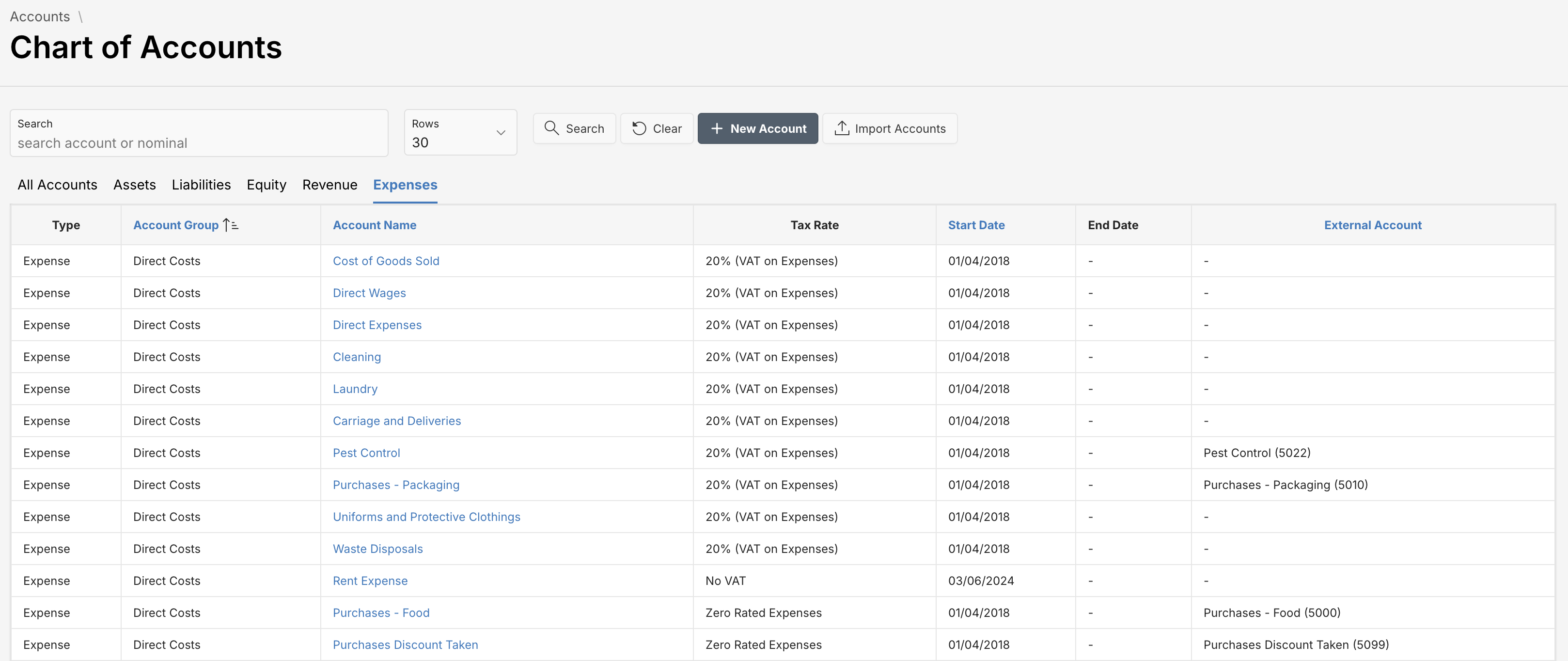
Adding a New Account
Click the New Account button to open the account creation dialog. Fill in the required fields such as Type, Account Group, Name, and Tax Rate, then click Save.
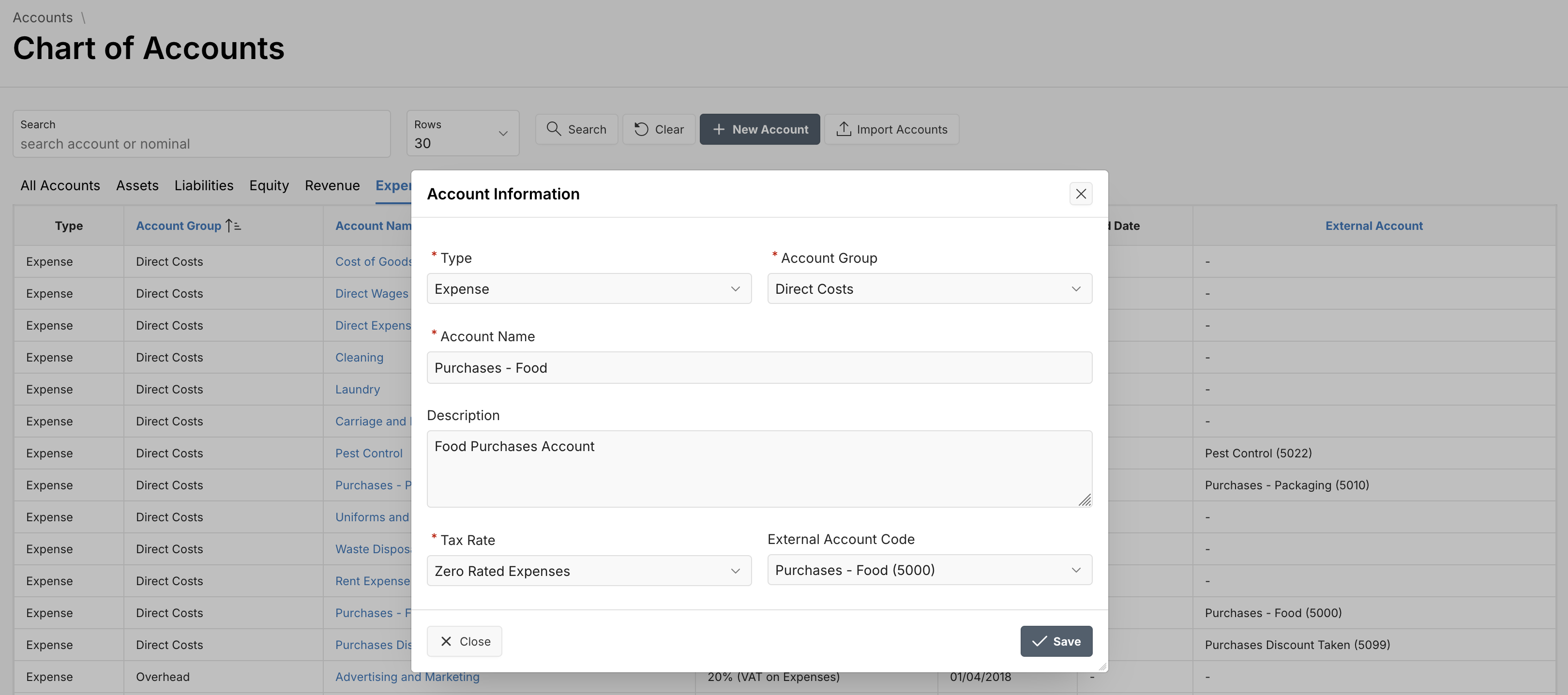
Mapping External Accounts
The application provides an option to import your Chart of Accounts from an external accounting system such as Xero or QuickBooks.
Step 1 - Import External Chart of Accounts
To begin, use the Import Accounts button on the Chart of Accounts screen. Upload your .csv file containing the external account codes and labels.
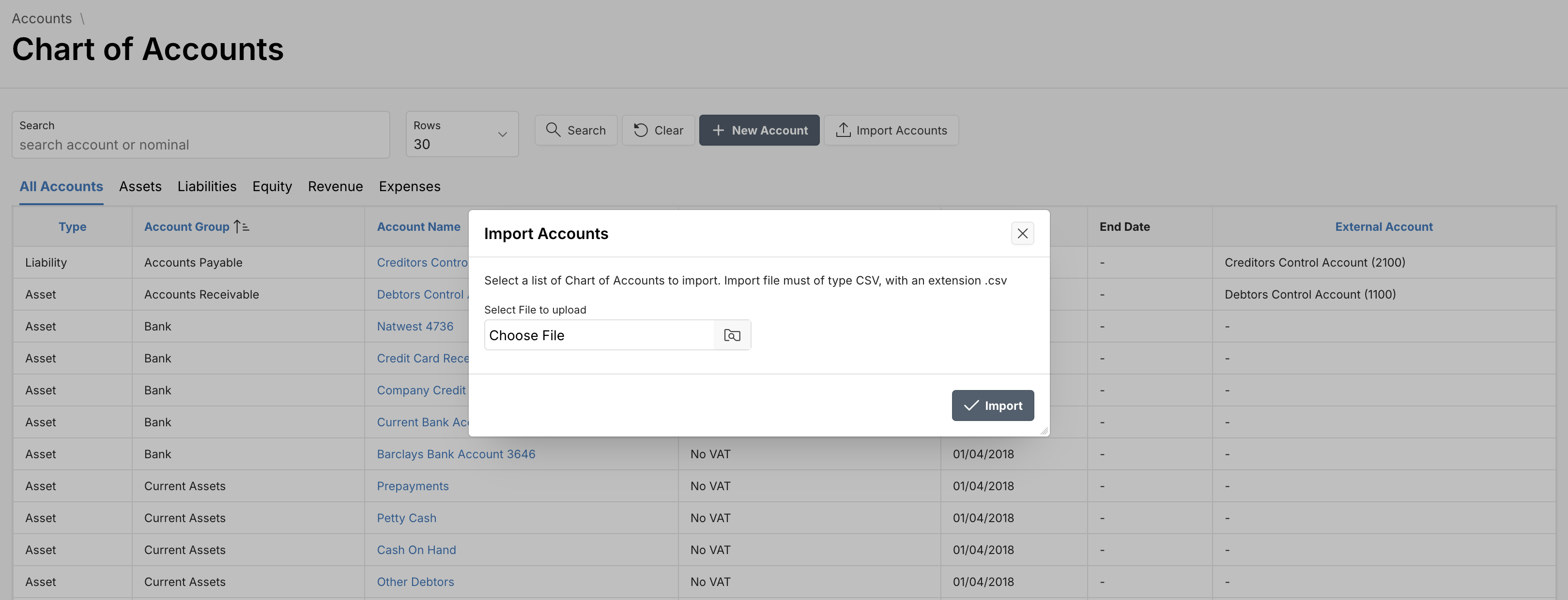
Tip: Ensure your import file follows the correct format. You may be able to download a template directly from the import dialog.
Step 2 - Map External Account Codes
Once imported, you can map each account in the application to its counterpart in your external accounting system.
- Click the account name you want to map.
- In the External Account Code field, select the corresponding external code from the dropdown.
- Click Save to apply the mapping.
Why is this important?
Mapping ensures that financial transactions recorded in the application sync correctly with your accounting system for accurate reporting and reconciliation.
Sync Support
Mapped accounts allow seamless integration when syncing journals, bills, invoices, or payments between platforms like Xero or QuickBooks.
Need help importing or mapping accounts? Contact Support.